Art Submission Guidelines
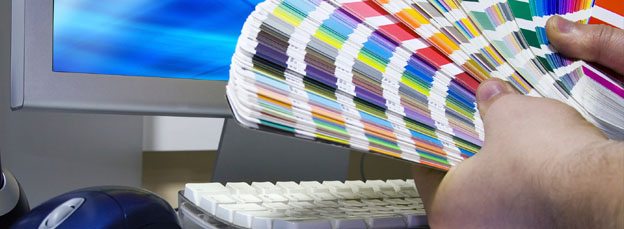
We will produce the best images possible from the art provided. Following are guidelines for preparing your art.
COLOR
Fusion prints using six or eight color process. We use a CMYK ink set plus light cyan and light magenta. Our eight color printers also use light yellow and light black. We cannot print spot, metallic or fluorescent colors. All files sent for printing should be CMYK only. Our printer will do the rest.
PROOFING
Color is important to us, as we are certain it is to you. In order for us to print your job properly, we need something to match color to. If we don’t receive anything from you, we will print a proof to be used for color matching on the press. Fusion uses an Epson Proofing System for all in house color matching. If you prefer we match to something else, please send it along with your artwork and we will use that for color matching. If you would like to approve an Epson proof, an additional charge of $45 will be added.
SOFTWARE
Please create your files in one or more of the following Macintosh or Windows applications:
- Adobe Illustrator with all placed files. Convert all fonts to outlines.
- Photoshop, including all layers, paths and channels.
- Adobe InDesign, including all placed images, logos, fonts and other elements.
- Quark Xpress Users: please export your file to a PDF or EPS.
- Corel Users: please export your file to a Tiff or EPS.
PDF FILES
PDF files present a problem in that they cannot be modified. The PDF format is intended as print/read file only, which means it is not editable. Even if the file is prepared properly (necessary bleed, size, etc…) we can only make global changes for color. Instead of sending a PDF file, send us the layout that was printed to PDF. Sending a PDF file may result in additional costs and additional time.
IMAGE FILE FORMATS AND MODES
Files must be CMYK. If your file is RGB or duotone, convert it to CMYK. Be aware that some mode changes may produce unacceptable color shifts due to differences in color gamuts. Convert any non-photographic black (usually text and logos) to a rich black. The percentages are C:60, M:40, Y:40 and K:100.
If you have a specific need in matching a specific spot or PMS (Pantone) color, please let us know. We will do our best to match.
Acceptable raster image file formats:
- TIFF
- Photoshop
- EPS
- Handshake-CT/SCITEX CT
- JPEG – Some quality loss may occur
FILE PREPARATION
All high resolution or rastered images must be 75 dpi or higher when printed at 100%. If you find it necessary to increase the scale of the image to achieve the desired cropping; the resolution will be reduced as you increase the scale at which the image is placed. It will be necessary to increase the size of your scan to compensate for the loss of resolution. The result should be at least 75 dpi at the final size. If the file you are using is not natively at least 75 dpi at final size, there will be a loss of sharpness, and in extreme cases pixelization may occur. We must have all fonts and supporting graphics sent to us. Low resolution FPO’s may be placed as long as the high resolution image is provided as well.
FONTS
Always include all necessary fonts. When using Adobe Illustrator or Adobe InDesign you may convert fonts to outlines.
DIGITAL MEDIA
When your artwork is complete – please contact us directly to send it on a CD/DVD, via E-mail, or FTP services. You will receive a digital proof that must be approved before your job is completed.